If you’ve spammed Player Lock in Rivals or Champs, you know the gut punch: your runner makes a perfect move, and then your ball carrier gets caught on the ball while you're busy controlling the runner. A lot of guides frame Player Lock as a fancy run trick, but there’s a more important way to look at it: it’s a possession risk-management tool first, and an attacking trick second.
Why Player Lock Is Riskier in FC 27
EA's FC 27 closed beta notes highlighted the increased risk of using Player Lock. Once you switch to an off-ball player, the CPU-controlled ball carrier no longer automatically moves around defenders. Instead, they continue in their existing direction, while their passes carry a slightly higher error risk. This does not mean the carrier will always get tackled, but the old safety buffer is gone. Every time you activate Player Lock, you are making a judgment call rather than guaranteeing an attacking advantage.
3 Situations Where Player Lock Creates Real Value
When the Defender Tracks the Ball Instead of the Runner
This is one of the best reads to spot in real time. The opponent’s center back is glued to your ball carrier, ignoring the space between defenders. Triggered runs usually send players sprinting forward, but Player Lock lets you drift your striker sideways into that gap. Watch closely: if the defender turns to follow you, your carrier gets room to turn or play wide. If they stay focused on the ball carrier, the space behind or between defenders may remain available for your runner. Trigger the pass only when the lane is clear.
When You Need to Create a Passing Lane That Doesn’t Exist Yet
Sometimes your carrier has time, but there is no clean passing option. A standard triggered run may send your teammate too far forward when you only need a small adjustment in positioning. With Player Lock, you can pull your CAM or winger laterally to drag a midfielder out of position. You are not running in behind; you are bending the defensive shape open. If the opponent holds their ground, you cancel and recycle the ball instead of forcing a bad pass.
When Manual Movement Beats a Triggered Run
This is the comparison most tutorials skip. Use a normal triggered run if you only want a teammate sprint behind the line. Pick Player Lock when you need exact control: a slow check back, a decoy drag across the box, or a curved run to pin two defenders at once. If the AI run already opens space, Player Lock is overkill and unnecessary risk.
3 Signs You Should Cancel Player Lock
The Ball Carrier Is Losing Time and Space
If a defender starts closing on your carrier mid-run, stop your off-ball movement immediately. The CPU will not escape pressure for you. Holding the lock here is basically volunteering the turnover.
Your Passing Window Is Closing
Even if your runner is in the right spot, the window can vanish fast. A defender shifts, blocks the angle, or steps into the passing lane. The best time to cancel is not only when the run finishes — it is when continuing the run no longer gives you a better option than resetting.
The Defense Is Not Reacting to Your Run
If the defenders ignore your manual runner and keep their compact shape, your decoy failed. There is no point lingering locked. You burn attention away from the ball for zero reward.
How to Punish an Opponent Who Overuses Player Lock
You can spot it fast: their ball carrier moves predictably while one attacker makes an unnatural, patient run. Do not chase that runner blindly. Use Second Man Press to put pressure on the ball carrier while you stay alert to the manually controlled runner. Since the CPU-controlled carrier cannot automatically evade pressure, this can force a rushed decision before the run develops. Keep your defensive block tight, and only switch to track the manual runner when it threatens a clear chance. The key is to pressure the ball without leaving dangerous spaces elsewhere.
A Simple Player Lock Decision Rule
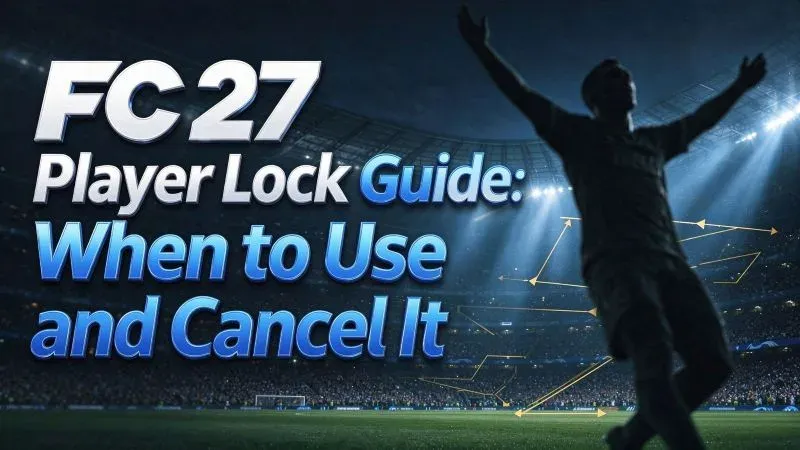
Before locking, ask three quick questions: does my carrier have space? Will this manual run force a real defensive choice? And can I cancel fast if the defense does not bite? If any answer is no, skip it. Player Lock shines when you use it briefly to manipulate the defense. It fails when you treat it like a “create chance” button.
Player Lock is most effective when it creates an option your opponent cannot ignore. If it doesn’t move the defense, open a passing lane, or create a clear advantage, cancel it and keep possession. In FC 27, knowing when not to use Player Lock is just as important as knowing how.