You try to start an Evo and get a warning popup plus a red banner. It reads like a bug, but it is usually a club rule: only one version of a footballer can carry Evolutions at a time. Work through the three causes in order and the common ones clear without spending anything.
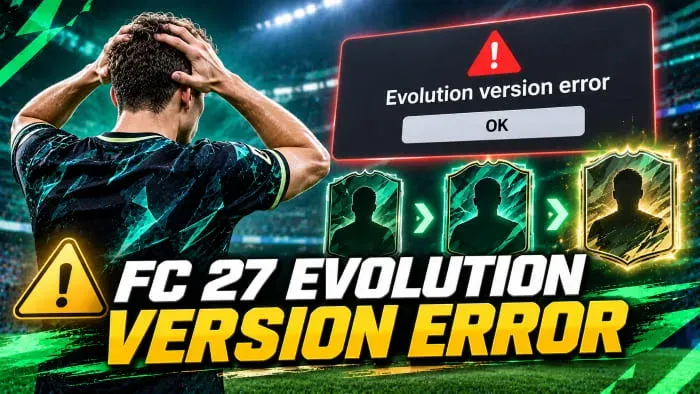
Evolution Version Error at a glance
The rule checks the player, not the card. You can own and use several versions of the same footballer, but evolving one blocks the rest. The official help page does not spell out this limit, which is why so many reports land on the forums as bugs.
| Cause | How to spot it | Fix |
|---|---|---|
| 1. Another version is already evolved | Club search shows a second card with an Evo badge | Evolve that card, or use Remove all Evolutions |
| 2. Unclaimed level or running Training Camp | My Evolutions shows a level to claim or a timer | Claim every level, or wait out or cancel the camp |
| 3. Ghost Evo history | No evolved copy anywhere in the club | Quick Sell Recovery, otherwise an EA Help ticket |
Before you act on any Evo cost or limit, read the live tile in your own club. Tracker numbers and deep dive examples do not replace that panel.
Fix two causes in under a minute
Cause 1 is the most common and easiest to miss. Any Evolution makes a card an Evolution version. Roles++ Evos at a tracked 7,500 coins or 150 FC Points count, along with cosmetic Evos, free Training Camps and Season Pass rewards. A card with Roles++ only still blocks a better promo version of the same player.
Search the player in Club > Players for the Evo badge. If you find an evolved copy, run your new Evo on that card or open its action menu and pick Remove all Evolutions. You get a downgrade preview and must hold to confirm. Removal is final, and paid coins or FC Points are not refunded. Do not pick Remove last Evolution, since the card stays an Evolution version until every Evo is gone.
Cause 2 lives in Club > Evolutions > My Evolutions. Claim every finished level first, because a level locks only once you collect its reward. A Training Camp runs from a few hours to more than 30 days and the player is unavailable throughout. You can cancel one, but you forfeit remaining rewards and get no coins or FC Points back. Claim, restart, then retry. If the error survives a restart, treat it as cause 3.
Evolution Version Error cause 3: ghost history
Here you search the whole club and find nothing. The server still remembers an Evolution history for a player you no longer own. Forum reports describe this after an evolved card went into an SBC, and buying a fresh copy did not clear it.
- Streamlined SBCs do not clear it. Players report feeding an old evolved card into a Gold Re-Roll and still being blocked.
- Quick Selling does not clear it, so a base card you buy back hits the same wall.
- Switching device does not clear it either.
Quick Sell Recovery sometimes works if you discarded the evolved copy within 7 days. The rule is five recoveries per 31-day period, in the Web and Companion Apps only. You repay the coins the Quick Sell gave you and the card returns to Unassigned Items. Results are mixed, so treat it as a chance, not a fix.
If nothing works, open a Help ticket with the player name, rating and version, the Evo name, whether you hold another version, and whether you ever evolved, quick sold, discarded or submitted that player. Add a screenshot of the warning.
Prevent the Evolution Version Error before Thunderstruck
The FUT Deep Dive says all special items released during FC 27 receive Role++ familiarity across every role in their primary and secondary positions. A promo card already arrives with what a Roles++ Evo used to buy. Spending 7,500 coins on a cheap gold version can block a free Evo on the better promo card later.
Decide which version you will keep before you spend. Do not put Roles++ on a special card that already has it. To retire an evolved card, use Remove all Evolutions before selling or submitting it, and do not assume a Streamlined SBC wipes the history.
No title update up to v1.2.0 lists a fix for this ghost error. That patch only added a cancel option on Evo confirmations and corrected a display bug. The forums still carry open threads, so plan around the rule rather than waiting.
The FC 27 Evolution Version Error usually means another version of the player is evolved or a level is unclaimed, so check those two first and use Quick Sell Recovery or EA Help only for genuine ghost history.